
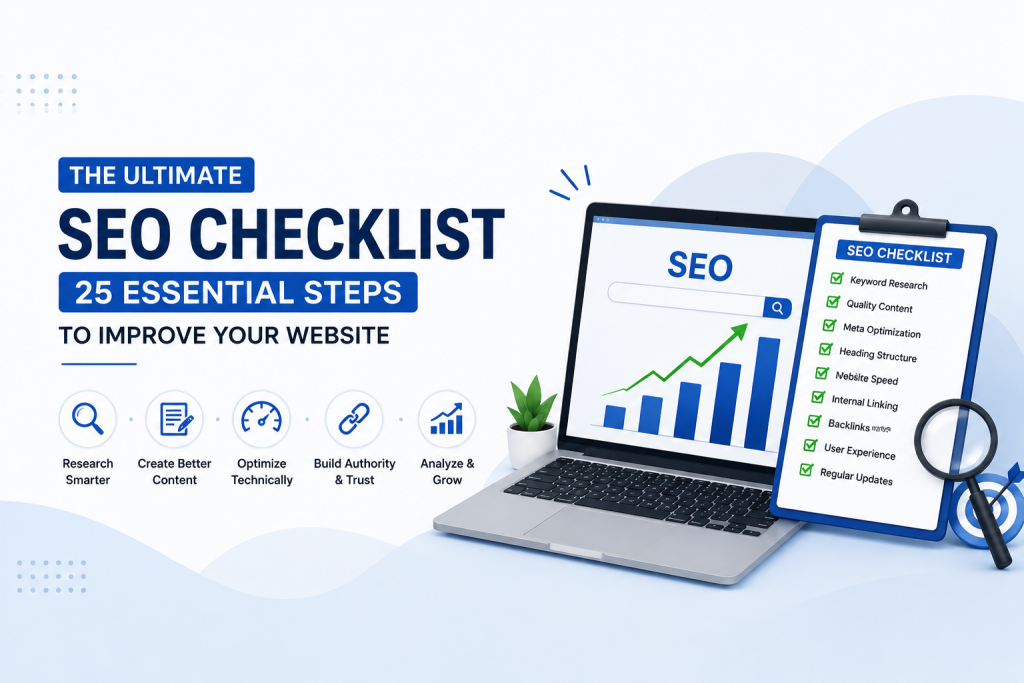
Introduction of SEO Checklist for Beginners: 25 Essential Steps
Imagine you’ve spent hours designing a beautiful website. The layout looks professional, your content is well-written, and everything seems ready to go live. You publish it with excitement, expecting visitors to start arriving. Days pass, then weeks, but your website receives very little traffic.
If this sounds familiar, you’re not alone.
Many beginners believe that simply creating a website is enough. In reality, a website needs to be optimized so that search engines like Google can understand it and recommend it to people searching for related information. This optimization process is known as Search Engine Optimization (SEO).
The good news is that SEO doesn’t have to be complicated. You don’t need to memorize hundreds of ranking factors or become an expert overnight. What you really need is a clear checklist that guides you through the most important tasks one step at a time.
This article is exactly that.
Instead of overwhelming you with technical jargon, we’ll walk through a practical 25-steps SEO checklist that every beginner can follow. Whether you have a blog, an online store, a business website, or a personal portfolio, these steps will help you build a stronger SEO foundation and improve your chances of ranking higher on Google.
Let’s get started.
Why Use an SEO Checklist?
SEO isn’t about randomly adding keywords or installing a few plugins. It’s a combination of many small improvements that work together to make your website more useful for both visitors and search engines.
A checklist helps you stay organized by ensuring that no important step is missed.
Think of it like building a house. You wouldn’t start decorating before laying the foundation. In the same way, successful SEO begins with the basics and gradually moves toward more advanced optimizations.
Following a checklist also saves time because you always know what to work on next instead of guessing where to begin.
✅ Step 1: Find the Right Keywords Before Writing Anything
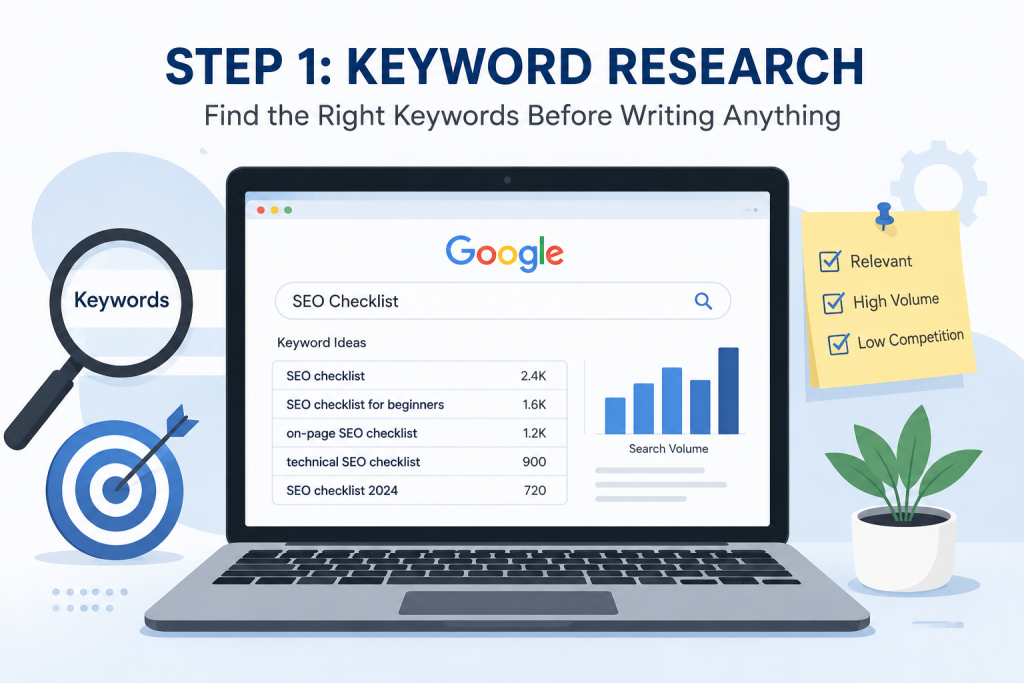
One of the biggest mistakes beginners make is writing an article first and searching for keywords later.
The smarter approach is exactly the opposite.
Before creating any page or blog post, ask yourself:
“What would someone type into Google to find this information?”
Those search terms are your keywords.
For example, if you’re writing about WordPress, your audience might search for:
- WordPress SEO
- SEO Checklist
- SEO for Beginners
- On-Page SEO Guide
Choosing keywords before writing helps you create content that matches what people are already looking for.
Why this matters
If nobody searches for your topic, even the best article may struggle to get visitors.
Pro Tip
Don’t focus only on high-volume keywords. Long-tail keywords usually have lower competition and are often easier for new websites to rank for.
✅ Step 2: Understand What Your Audience Wants
Not every Google search has the same purpose.
Some people simply want information.
Others want to buy something.
Some are comparing products before making a decision.
Understanding search intent helps you create content that truly answers the user’s question.
For example:
Someone searching “What is SEO?” wants an explanation.
Some searching “Best SEO Tools for Small Businesses” is looking for recommendations.
Someone searching “Hire an SEO Expert” is ready to purchase a service.
The better your content matches the user’s intent, the more likely Google is to recommend it.
✅ Step 3: Write Content for Humans First
A few years ago, many websites ranked by repeating the same keyword dozens of times.
That approach doesn’t work anymore.
Modern search engines are much smarter.
Instead of counting keywords, Google tries to understand whether your content genuinely helps readers.
So while writing, imagine you’re explaining the topic to a friend.
Use simple language.
Break long paragraphs into smaller sections.
Answer common questions.
Provide useful examples whenever possible.
When readers enjoy your content, they stay longer on your website, and that’s a positive signal for search engines as well.
✅ Step 4: Create an Attractive Title
Your title is usually the first thing people notice in search results.
A good title should clearly explain what readers will learn while also making them curious enough to click.
Compare these two examples:
❌ SEO Guide
✅ The Ultimate SEO Checklist for Beginners: 25 Essential Steps to Improve Your Website
The second title is much more specific and immediately tells readers what they can expect.
✅ Step 5: Optimize Your URLs
A URL may look like a small detail, but it plays an important role in SEO. A clean and meaningful URL helps both users and search engines understand what your page is about.
For example, imagine you’re looking at these two links:
❌ www.example.com/post?id=4587
✅ www.example.com/seo-checklist
Which one tells you more about the page? Obviously, the second one.
Best Practices
- Keep URLs short and simple.
- Include your primary keyword naturally.
- Avoid unnecessary numbers or special characters.
- Use hyphens (-) instead of underscores (_).
A well-structured URL also looks more professional when shared on social media or in emails.
✅ Step 6: Write an Effective Meta Title and Meta Description
Your page title and meta description are often the first things people notice in Google search results.
Even if your page ranks well, people may skip it if the title isn’t attractive.
A good meta title should clearly explain the topic and include the primary keyword naturally.
The meta description should briefly tell readers what they will learn if they click on your page.
Example
- Meta Title
Ultimate SEO Checklist for Beginners | Improve Your Website Ranking
- Meta Description
Discover a complete SEO checklist with practical tips to improve your website’s visibility, user experience, and search engine rankings.
Think of these as your website’s first impression.
✅ Step 7: Organize Your Content with Proper Headings
Nobody enjoys reading a page that looks like one huge block of text.
Headings make your content easier to scan and understand.
A simple structure looks like this:
- H1 → Main Title
- H2 → Main Sections
- H3 → Subtopics
This hierarchy improves readability and helps search engines understand how your content is organized.
Whenever possible, keep your headings clear and descriptive instead of using vague titles.
✅ Step 8: Optimize Your Images
Images make a blog visually appealing, but they can also slow down your website if they aren’t optimized properly.
Before uploading an image:
- Compress its file size.
- Choose the correct dimensions.
- Rename the file using descriptive words.
- Add meaningful Alt Text.
For example:
❌ IMG12345.jpg
✅ seo-checklist-for-beginners.jpg
Alt Text:
“SEO checklist illustration showing website optimization process.”
Optimized images improve page speed and make your website more accessible.
✅ Step 9: Link Your Pages Together
Imagine walking into a library where every book is placed randomly without any connections. Finding useful information would become difficult.
The same applies to websites.
Internal links help visitors discover more useful content while helping search engines understand your website structure.
For example, if you’re reading this SEO checklist, you can naturally link it to:
- What is SEO? A Beginner’s Complete Guide
- Keyword Research Guide
- On-Page SEO Tips
- Technical SEO Basics
Internal linking keeps users engaged and encourages them to explore multiple pages instead of leaving after reading one article.
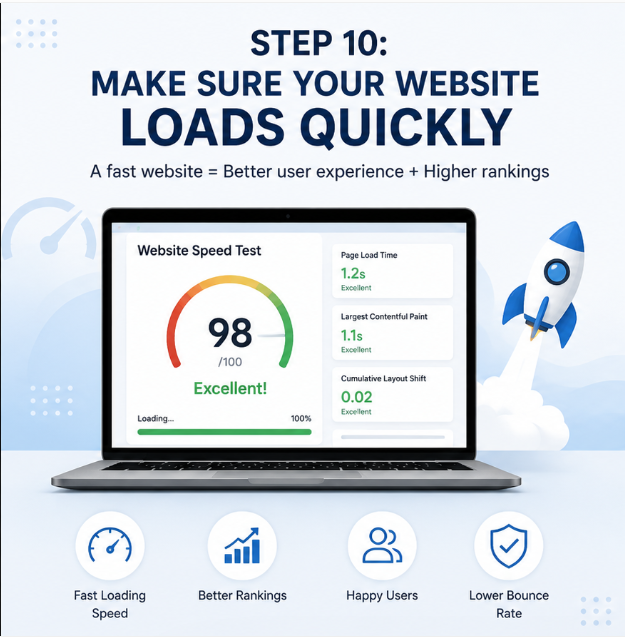
✅ Step 10: Make Sure Your Website Loads Quickly
Have you ever left a website because it took too long to open?
Most people do.
Website speed has a direct impact on user experience and can also influence search rankings.
Some simple ways to improve loading speed include:
- Compress large images.
- Remove unnecessary plugins.
- Use browser caching.
- Choose a reliable hosting provider.
- Minify CSS and JavaScript files.
A fast website creates a better experience for visitors and reduces bounce rates.
✅ Step 11: Check Mobile Friendliness
Today, most internet users browse websites using smartphones.
If your website looks perfect on a desktop but difficult to use on a mobile phone, you’re likely losing visitors.
A mobile-friendly website should:
- Adjust automatically to different screen sizes.
- Display readable text without zooming.
- Have buttons that are easy to tap.
- Load quickly on mobile networks.
Google also uses mobile-first indexing, meaning it primarily evaluates the mobile version of your website.
✅ Step 12: Add Alt Text to Every Important Image
Alt text isn’t just for SEO—it’s also important for accessibility.
Screen readers use alt text to describe images for visually impaired users.
Instead of writing generic alt text like:
“Image”
Write something meaningful, such as:
“Person performing keyword research using SEO tools.”
Good alt text improves accessibility while giving search engines additional context about your images.
✅ Step 13: Publish Content Consistently
SEO isn’t something you do once and forget.
Websites that regularly publish valuable content have a better chance of building authority over time.
Instead of publishing ten articles in one week and then disappearing for months, create a realistic publishing schedule.
Even publishing one well-written article every week is better than posting irregularly.
Consistency builds trust with both readers and search engines.
✅ Step 14: Create an XML Sitemap
An XML sitemap acts like a roadmap for search engines. It tells Google which pages on your website should be crawled and indexed.
Most SEO plugins, such as Rank Math or Yoast SEO, automatically generate an XML sitemap. Once it’s created, submit it to Google Search Console so search engines can discover your content more efficiently.
Pro Tip: Every time you publish a new blog or page, your sitemap updates automatically if you’re using an SEO plugin.
✅ Step 15: Check Your Robots.txt File
A robots.txt file tells search engine crawlers which pages they should access and which they should ignore.
For example, you may want Google to crawl your blog pages but ignore unnecessary admin folders.
Don’t worry if you’re a beginner—most WordPress websites create a basic robots.txt file automatically. Just make sure you don’t accidentally block important pages from being indexed.
✅ Step 16: Secure Your Website with HTTPS
Website security isn’t only important for visitors—it also matters for SEO.
If your website uses HTTPS instead of HTTP, users know their information is encrypted and secure.
You’ll usually notice a small padlock icon next to the website address in your browser.
A secure website builds trust and is considered a positive ranking signal by Google.
✅ Step 17: Fix Broken Links
Imagine clicking a link expecting useful information but landing on a 404 Error page.
Frustrating, isn’t it?
Broken links create a poor user experience and may also affect your website’s credibility.
Regularly check your website for:
- Broken internal links
- Broken external links
- Missing images
- Deleted pages
Fixing these issues keeps your website healthy and easy to navigate.
✅ Step 18: Earn Quality Backlinks
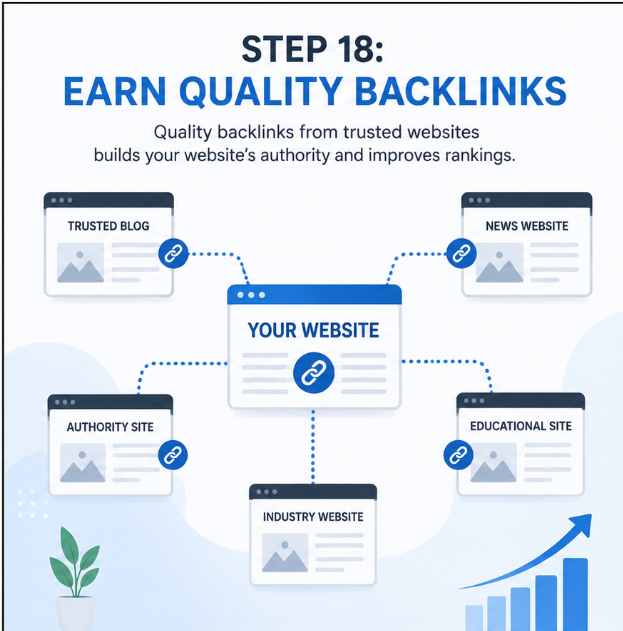
Backlinks are links from other websites pointing to your website.
Think of them as recommendations.
If trusted websites link to your content, search engines see your website as more reliable.
However, quality matters much more than quantity.
Instead of buying backlinks, focus on creating content that people naturally want to reference and share.
Some ethical ways to build backlinks include:
- Writing guest posts
- Publishing useful guides
- Sharing infographics
- Participating in relevant communities
- Creating original research or tutorials
✅ Step 19: Share Your Content on Social Media
While social media isn’t a direct ranking factor, it helps your content reach a larger audience.
Share your blogs on platforms like:
- X (Twitter)
- Instagram (through carousel posts or link in bio)
More visibility increases the chances of earning backlinks and attracting visitors.
✅ Step 20: Keep Your Content Updated
SEO isn’t a one-time task.
Information changes, trends evolve, and search engines constantly update their algorithms.
Review your older articles every few months.
Update:
- Statistics
- Examples
- Screenshots
- Internal links
- Outdated information
Fresh content often performs better than outdated content.
✅ Step 21: Monitor Your Website with Google Search Console
Publishing a website is only the beginning. To understand how your pages perform on Google, connect your website with Google Search Console.
It helps you monitor:
- Which keywords bring visitors to your website
- How many times your pages appear in search results
- Which pages are indexed
- Any crawling or indexing errors
- Mobile usability issues
Checking Search Console regularly helps you identify problems early and discover opportunities to improve your rankings.
Pro Tip: Submit your XML sitemap after connecting your website to Search Console to help Google discover your pages faster.
✅ Step 22: Track Visitor Behavior with Google Analytics
Knowing how visitors interact with your website is just as important as getting traffic.
Google Analytics provides valuable insights such as:
- Total website visitors
- Traffic sources
- Most visited pages
- Average session duration
- Bounce rate
- User demographics
These insights help you understand what your audience likes and which pages need improvement.
Instead of guessing, you can make decisions based on real data.
✅ Step 23: Avoid Duplicate Content
Search engines prefer original and unique content.
Publishing copied or very similar content across multiple pages can confuse search engines and reduce your chances of ranking well.
To avoid duplicate content:
- Write every article in your own words.
- Don’t copy content from other websites.
- Use canonical URLs where necessary.
- Update old articles instead of creating multiple pages on the same topic.
Original content builds trust with both readers and search engines.
✅ Step 24: Improve Core Web Vitals
Core Web Vitals measure how users experience your website.
Google looks at three important factors:
- Loading Speed – How quickly the main content appears.
- Interactivity – How fast users can interact with the page.
- Visual Stability – Whether page elements unexpectedly move while loading.
Improving these metrics creates a smoother browsing experience and can positively impact your SEO performance.
Simple improvements include:
- Compressing images
- Removing unnecessary scripts
- Using fast hosting
- Enabling browser caching
✅ Step 25: Review and Update Your SEO Regularly
SEO isn’t something you do once and forget forever.
Search trends change, competitors publish new content, and Google updates its algorithms regularly.
Make it a habit to review your website every few months.
Ask yourself:
✔ Is the information still accurate?
✔All internal links working?
✔ Can I improve this article with better examples?
✔ Are there new keywords I should include?
Small improvements over time can make a significant difference in your website’s long-term performance.
Remember, successful SEO is built through consistency, not shortcuts.
Common SEO Mistakes to Avoid
Experienced website owners can also make mistakes from time to time. As a beginner, avoiding these common errors will save you a lot of effort.
❌ Publishing copied or duplicate content
❌ Keywords stuffing unnaturally
❌Ignoring mobile users
❌Uploading large, unoptimized images
❌ Forgetting to add internal links
❌ Writing clickbait titles that don’t match the content
❌Ignoring website speed
SEO works best when you focus on helping users rather than trying to manipulate search engines.
A Quick SEO Checklist for Beginners: 25 Essential Steps
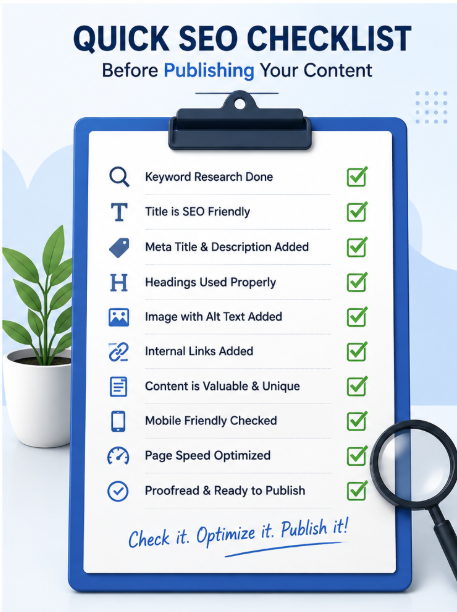
Before clicking the Publish button, ask yourself:
✔Have I chosen the right keyword?
✔Does my title clearly explain the topic?
✔Is the URL short and readable?
✔Have I written a helpful meta description?
✔ Are headings organized properly?
✔ Have I added internal links?
✔Did I optimize my images?
✔Is the article easy to read?
✔ Have I checked grammar and spelling?
✔Does the content genuinely answer the reader’s question?
If answer is yes to all these, you’re ready to publish.
Final Thoughts
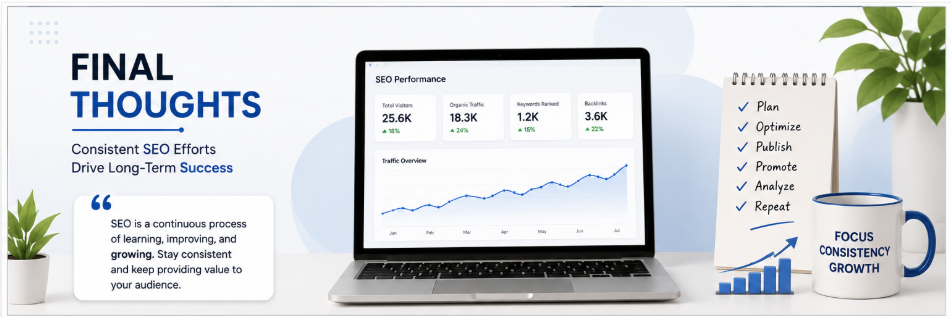
Learning SEO may seem overwhelming at first, but it becomes much easier when you follow a structured approach.
Instead of trying SEO trick find online, focus on building a strong foundation. Start with keyword research, create useful content, optimize your pages, improve your website’s technical health, and continue learning as search engines evolve.
Remember, SEO is a long-term investment rather than a quick fix. Some improvements may take weeks or even months to show results, but consistency always pays off.
The best strategy is simple: create content that genuinely helps people, maintain a fast and user-friendly website, and regularly review your SEO performance. Over time, these small efforts can lead to better rankings, increased organic traffic, and a stronger online presence.
Whether you’re managing a personal blog, a business website, or an online store, this SEO checklist can serve as a practical guide whenever you publish new content or optimize existing pages.